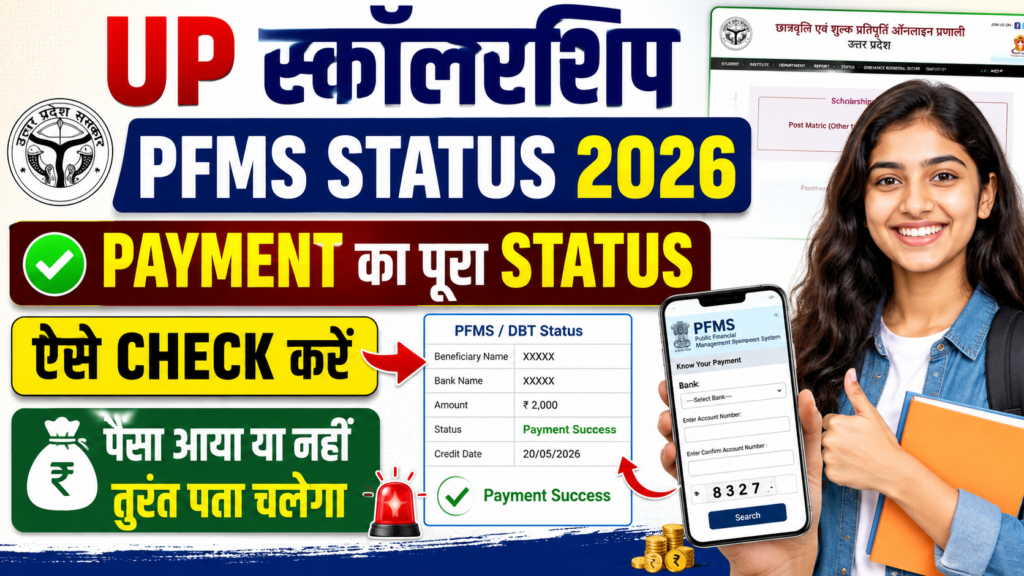
UP Scholarship PFMS Status: For students who have applied for the UP Scholarship, checking only the application status is not enough. After submitting the application and completing the verification process, the biggest question is usually simple: When will the scholarship money arrive, and what is the current payment status?
Many students see their application marked as Verified or Approved, but the amount is still not visible in their bank account. In such cases, PFMS can help students track available payment-related information.
The important thing to understand is that Application Status and Payment Status are not the same thing. Therefore, students should check both the UP Scholarship Portal and PFMS to get a clearer picture.
What Can You Check Through UP Scholarship PFMS Status?
PFMS, or the Public Financial Management System, is used to track information related to government payments. Scholarship-related payment information can also be checked through the system when the relevant payment record is available.
Students may be able to see whether their payment has been processed or whether it is still pending. A payment may also show a failed or other status depending on the stage of the transaction.
For example, if your UP Scholarship application is Verified but no payment information appears on PFMS, it does not automatically mean that your scholarship has been rejected. The payment process may simply not have reached that stage yet.
Keep These 4 Things Ready Before Checking Your Payment
Before checking your scholarship payment status, keep the following information available:
- Bank name
- Correct bank account number
- Scholarship-related application details
- Mobile phone for verification or OTP, if required
Be especially careful while entering your bank account number. Even a single incorrect digit can prevent the system from finding the correct payment record.
How to Check UP Scholarship Payment Through PFMS “Know Your Payment”
The Know Your Payment option on PFMS can be used to check available payment information.
Step 1: Open the PFMS Website
First, open the official PFMS website. Look for the section related to payment information.
Step 2: Select “Know Your Payment”
Go to the Payment Status section and select Know Your Payment.
This option allows users to search for available payment-related information.
Step 3: Enter Bank and Account Details
Enter the required information, including the bank name and account number.
Take your time while entering these details. Incorrect information can prevent the system from showing the relevant payment record.
Step 4: Complete Verification
Complete the verification process displayed on the screen. If an OTP is requested, enter the OTP received on your registered mobile number.
Step 5: Check the Payment Details
After successful verification, available payment information may appear on the screen.
Check the payment date, amount and transaction-related details carefully.
If the status shows that payment has been completed, it is also a good idea to check your bank statement or mobile banking account.
How to Check Your UP Scholarship Application Status
Checking the UP Scholarship Portal is equally important.
Open the official scholarship portal and select the relevant academic year under the student section. Depending on the available option, you may need to log in or open the application status section.
Enter the required information, such as your registration number and date of birth, and submit the details.
The application status will then show the current stage of your scholarship application.
Remember, an application being marked Verified does not necessarily mean that the money has already been credited to your bank account.
Application verification and payment processing are separate stages.
What Do Pending, Failed and Success Mean in PFMS?
Different payment statuses can appear while checking the payment details. Understanding these terms makes it easier to know what to do next.
Payment Success or Paid: This indicates that the payment has been processed or released. Students should still check their bank account for the actual credit entry.
Pending or Processing: The payment is still being processed. In this situation, check the status again after some time.
Payment Failed: The payment could not be completed. Check your bank account information and other relevant details.
Rejected: There may be an issue with the payment or the information connected with it. Check your scholarship application and contact your institution if necessary.
No Record Found: PFMS is currently unable to find the relevant payment record. This does not necessarily mean that the scholarship application has been rejected.
UP Scholarship Is Verified but PFMS Payment Is Not Showing
This situation can be confusing for students.
One possible reason is that the application verification has been completed but the payment process has not yet reached PFMS.
Other possible reasons may include incorrect bank details, an inactive bank account or an issue related to Aadhaar-bank or NPCI mapping.
The first step should be to check the application status on the UP Scholarship Portal.
After that, check the payment status on PFMS.
If the information does not match or the problem continues, contact your college or institution. They can help clarify the verification and application-forwarding stage.
What to Do If Payment Shows Failed or Pending?
If your payment shows Failed, do not panic.
First, check whether your bank account number and bank name are correct. You should also confirm with your bank that the account is active.
It is also useful to ask your bank about the status of Aadhaar-bank and NPCI mapping where applicable.
If the status shows Pending, avoid repeatedly checking random websites. Use the official scholarship portal and PFMS and check again after some time.
If the issue continues for a long period, contact your institution or the concerned scholarship department.
UP Scholarship PFMS Status: What Does Each Status Mean?
| Status | What It Means | What You Should Do |
|---|---|---|
| Application Verified | Application verification has been completed | Check payment status |
| Recommended/Approved | Application has moved ahead in the process | Check PFMS |
| Payment Pending | Payment is still being processed | Check again later |
| Payment Success | Payment has been released/processed | Check your bank statement |
| Payment Failed | Payment could not be completed | Verify bank details |
| No Record Found | No matching payment record is currently available | Recheck details and application status |
How to Check UP Scholarship Payment Status on Mobile
You can check both PFMS and the UP Scholarship Portal using a mobile phone.
Open the official website through a mobile browser and enter the required information. Once the status appears, you can take a screenshot for your records.
If you use a cyber café, enter your OTP yourself whenever possible.
Never share your ATM PIN, UPI PIN, internet banking password or other confidential banking information with anyone.
5 Common Mistakes Students Should Avoid
The first common mistake is assuming that Application Status and Payment Status are the same thing.
The second is selecting the wrong academic year while checking the application.
The third is entering an incorrect bank account number.
The fourth is waiting for payment without checking whether the bank account is active.
The fifth is checking only one portal instead of checking both the scholarship application status and the payment status.
Payment Status Is Not Showing? Check These Things First
Before getting worried about a missing scholarship payment, go through this checklist:
- Application has been successfully submitted
- Application verification has been completed
- UP Scholarship Portal status has been checked
- PFMS payment status has been checked
- Bank account is active
- Bank name and account number are correct
- Aadhaar-bank/NPCI mapping has been checked where applicable
- Bank statement has been checked for the credit entry
UP Scholarship PFMS Status 2026: The Most Important Point for Students
An application showing Verified or Approved and money actually reaching the bank account are two different stages.
Therefore, students should not assume that the scholarship has been credited simply because the application has been verified.
The better approach is to first check the application status on the UP Scholarship Portal and then check the payment details through PFMS.
If the payment shows Success, check your bank statement as well. If it shows Pending or Failed, verify the relevant details and take the necessary steps.
Always use official websites for checking scholarship and payment information.
Never share OTPs, ATM PINs, UPI PINs or internet banking passwords with anyone.
FAQs
1. How can I check UP Scholarship PFMS Status 2026?
You can check available payment information through the Know Your Payment option on the PFMS website by entering the required details.
2. How can I check my UP Scholarship payment on PFMS?
Open PFMS, select the Know Your Payment option and enter the required bank and account-related information to check the available payment record.
3. Why does my scholarship payment show Pending on PFMS?
Pending generally means that the payment is still being processed. Check the official PFMS and UP Scholarship Portal again after some time.
4. What should I do if UP Scholarship shows Payment Success but money is not in my bank account?
First check your bank statement and account details. You can also contact your bank to confirm whether the payment has been credited or is awaiting processing.
5. Why does PFMS show No Record Found?
It may mean that the relevant payment record is not yet available on PFMS or that the information entered does not match the available record.
6. What is the difference between UP Scholarship Application Status and PFMS Payment Status?
Application Status shows the progress and verification stage of your scholarship application, while PFMS Payment Status provides information related to the government payment. Checking both gives a clearer picture of the overall process.